

価格推移
//
![]()

Take your mixes to a professional level with the REFERENCE 2 + FREE Copy Of FUSER bundle. REFERENCE 2 gives you the tools to compare your mix or master against up to 12 of your favorite reference tracks with precise loudness matching, detailed EQ, stereo width, and punch insights, and the included REFSEND plugin for accurate A/B comparisons.
Pair it with FUSER, the intelligent conflict-resolution plugin that balances levels, optimizes phase, and uses smart mid-side sidechain ducking to eliminate clashing frequencies. Together, these powerful tools help you achieve clear, balanced, and professional-sounding mixes faster than ever.
REFERENCE 2
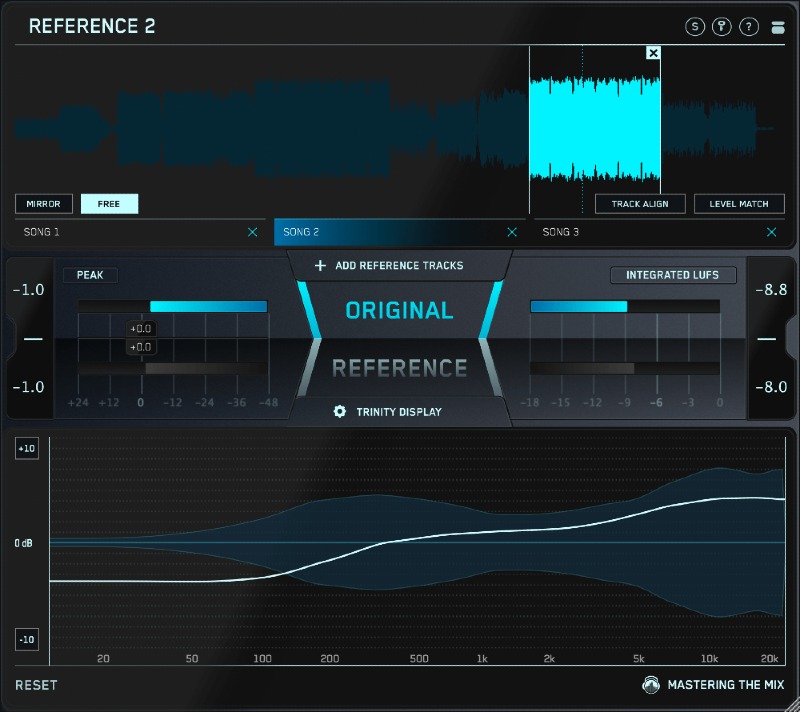
Get closer than ever to the sound of your favourite mixes.
Ever felt your mix didn’t sound as good as your reference tracks? It can be frustrating not knowing exactly how to get your music comparable to your favourite mixes. That’s why Mastering The Mix created REFERENCE. It’s packed with powerful tools and never seen before insights to help you get closer than ever to the sound of your favourite music.
Key Benefits
- Compare your mix or master to up to 12 reference tracks and create multiple loops so you can quickly compare various sections of your track to your reference.
- Instantly and accurately match the loudness of your track and your references. This is crucial for a fair comparison and for making informed decisions on how to shape your sound.
- Visual and actionable insights to make matching the true peak, loudness, EQ balance, punch, and stereo width of your reference tracks easier than ever.
- Includes an additional source plugin called REFSEND that allows you to bypass entire FX chains to make loudness-matched A/B comparisons.
How To Use REFERENCE 2
1. Load Your References
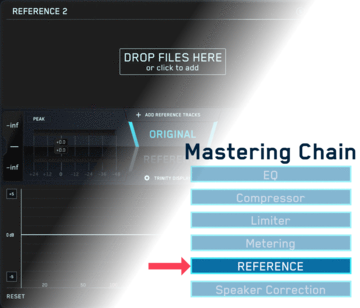
Load up an instance of REFERENCE as the final plugin on your master bus. REFERENCE should come after your metering plugin but before any speaker / headphone calibration software (if you use it). Drag and drop the reference tracks you want to use onto the Wave Transport.
2. Level Match
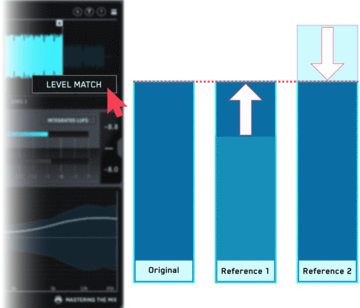
Your mix will most likely be a lot quieter than your reference tracks giving you the misconception that it has a weaker bass and less clarity in the high frequencies. The Level Match button will allow you to compare your mix to the reference tracks without bias, allowing you to make informed mixing decisions.
3. Gain Insights
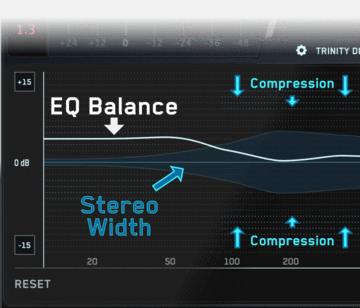
The visuals in the Trinity Display show you how your EQ balance, stereo width and compression compares to your reference track. You can also click to solo a frequency band allowing you to zone in on the intricate differences between your mix and your references.
Learn more about Reference 2.
FUSER
FUSER is the ultimate solution for creating sonic clarity in messy mixes.
FUSER resolves conflicting channels by assisting you in adjusting volume balance, enhancing phase optimization, and implementing intelligent mid-side sidechain ducking
With FUSER’s smart ‘Conflict Detection’ and groundbreaking ‘Resolve Conflicts’ feature, you’ll effortlessly find a great starting point to fix those audio clashes without overdoing it.
Features
- Clear Sound, Simplified: FUSER swiftly and transparently resolves conflicting audio sources for a defined mix.
- Sonic Clarity Redefined: Conquer mix complexities with FUSER’s multi-angle approach – volume balance, phase optimization, and smart side-chain ducking.
- Intelligent Fixing: Experience effortless conflict resolution with FUSER’s “Resolve Conflicts” feature – your personal mixing engineer in a plugin.
- Elevate Every Element: From kick and bass balance to guitars and vocals, FUSER crafts space for standout sounds, ensuring your mix’s focal point shines.
- Effortless Start: Set up FUSER easily; resolve clashes by adding it as the final plugin in your chain, then sidechain your focal channel.
- Visual Precision: FUSER’s intuitive interface offers visual clarity through mid-side conflict hotspots, guiding you to make the best decisions.
- Take Control: Dial in the ideal settings with manual node creation, fine-tuning parameters for a tight and controlled sound.
- Perfect Layering: FUSER’s Phase Analyze feature automatically identifies and sets the optimal phase rotation ensuring minimal phase cancellation when layering similar sounds such as kicks and basses.
- Achieve Balance: The input gain level match pointer ensures impeccable relative volume balance, a crucial step for your mix’s success.
Learn more about FUSER.
Any references to any brands on this site/page, including reference to brands and instruments, are provided for description purposes only. For example references to instrument brands are provided to describe the sound of the instrument and/or the instrument used in the sample. Plugin Boutique do not have (nor do they claim) any association with or endorsement by these brands. Any goodwill attached to those brands rest with the brand owner. Plugin Boutique or its Suppliers do not accept any liability in relation to the content of the product or the accuracy of the description. “RHODES” is a registered trademark of Joseph A Brandstetter.