

価格推移
//

Perfect your mixes and nail the low-end with the REFERENCE 2 + FREE Copy Of BASSROOM bundle. Compare your tracks to up to 12 reference mixes, instantly match loudness, and gain clear visual insights into EQ balance, punch, and stereo width with REFERENCE 2.Then, shape a powerful and balanced low-end using BASSROOM’s transparent EQ, immersive 3D interface, and trusted genre-specific target presets.
Achieve professional, release-ready results with confidence.
REFERENCE 2
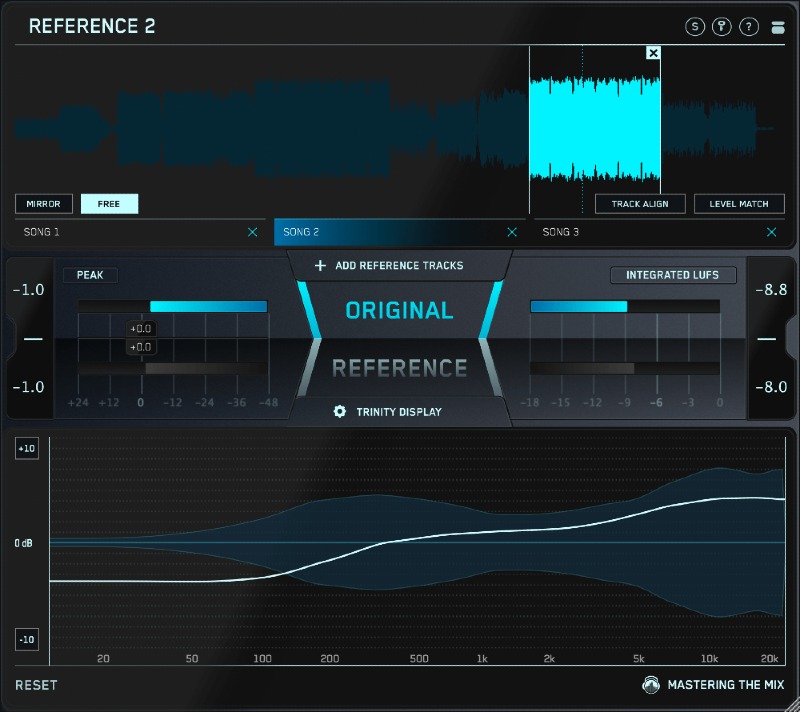
Get closer than ever to the sound of your favourite mixes.
Ever felt your mix didn’t sound as good as your reference tracks? It can be frustrating not knowing exactly how to get your music comparable to your favourite mixes. That’s why Mastering The Mix created REFERENCE. It’s packed with powerful tools and never seen before insights to help you get closer than ever to the sound of your favourite music.
Key Benefits
- Compare your mix or master to up to 12 reference tracks and create multiple loops so you can quickly compare various sections of your track to your reference.
- Instantly and accurately match the loudness of your track and your references. This is crucial for a fair comparison and for making informed decisions on how to shape your sound.
- Visual and actionable insights to make matching the true peak, loudness, EQ balance, punch, and stereo width of your reference tracks easier than ever.
- Includes an additional source plugin called REFSEND that allows you to bypass entire FX chains to make loudness-matched A/B comparisons.
How To Use REFERENCE 2
1. Load Your References
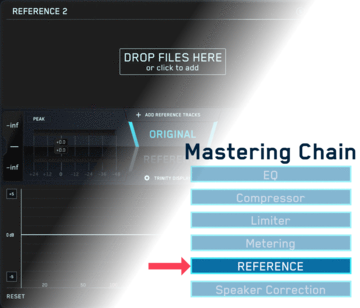
Load up an instance of REFERENCE as the final plugin on your master bus. REFERENCE should come after your metering plugin but before any speaker / headphone calibration software (if you use it). Drag and drop the reference tracks you want to use onto the Wave Transport.
2. Level Match
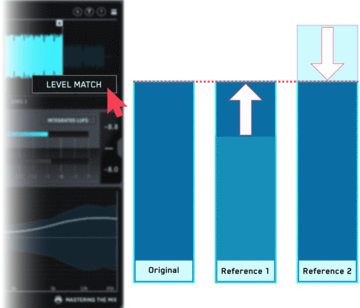
Your mix will most likely be a lot quieter than your reference tracks giving you the misconception that it has a weaker bass and less clarity in the high frequencies. The Level Match button will allow you to compare your mix to the reference tracks without bias, allowing you to make informed mixing decisions.
3. Gain Insights
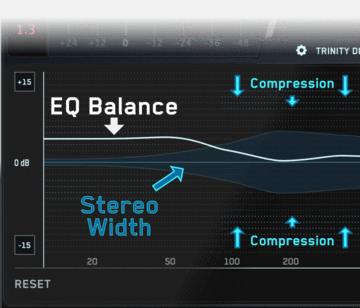
The visuals in the Trinity Display show you how your EQ balance, stereo width and compression compares to your reference track. You can also click to solo a frequency band allowing you to zone in on the intricate differences between your mix and your references.
Learn more about Reference 2.
BASSROOM
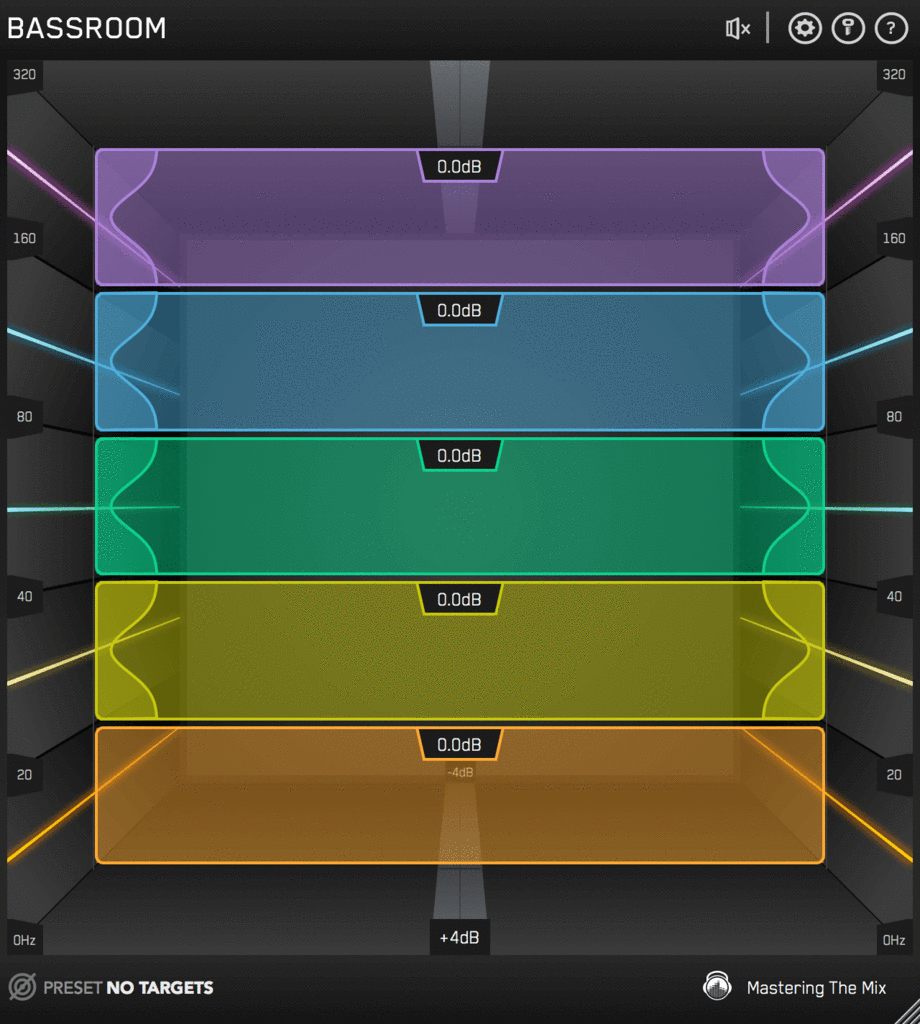
Balancing the low-end is one of the hardest challenges in any mix or master. BASSROOM is a final mix and mastering EQ that helps beginners and pros nail their low-end in seconds.
The Struggle Is Over
Balancing the low-end is one of the hardest challenges in any mix or master. This is where so many potentially awesome tracks fail. Too much bass and your track will sound bloated and lack clarity. Not enough bass and your track will sound weak.
BASSROOM is a final mix and mastering EQ that helps beginners and pros nail their low-end in seconds. It does this by delivering exceptional sound quality and suggesting genre-specific EQ adjustments a great audio engineer in a world-class studio would make.
We analyzed the best mixes in various genres to give you EQ target presets you can trust. You can also create your own targets with BASSROOM’s inbuilt analysis tools. From this starting point, you can tweak your low-end to perfection using the immersive 3D room interface.
How To Use BASSROOM
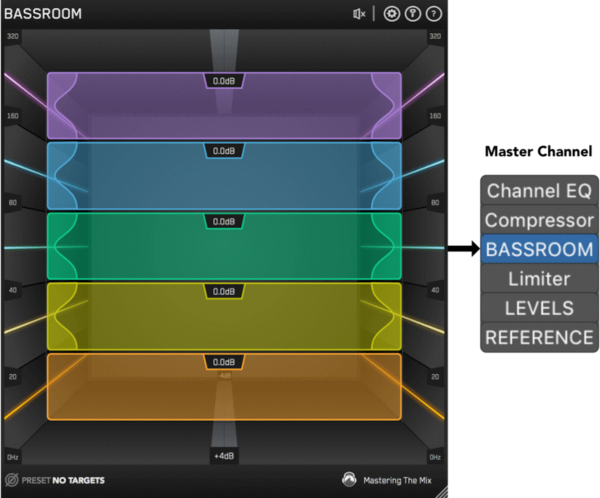
Master Channel
BASSROOM uses complex algorithms that accurately identifies how the human ear perceives low-frequencies relative to the balance of the whole mix. For that reason it should be loaded on your master channel so it can analyse and be applied to your whole mix.
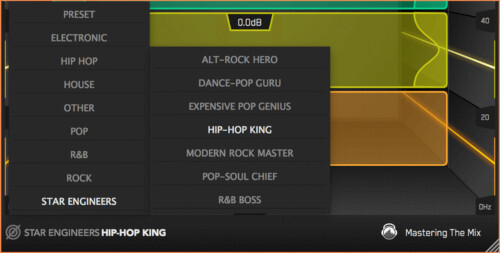
Choose A Preset
To get the most value from BASSROOM, start by selecting a preset that best suits the material you’re working on.
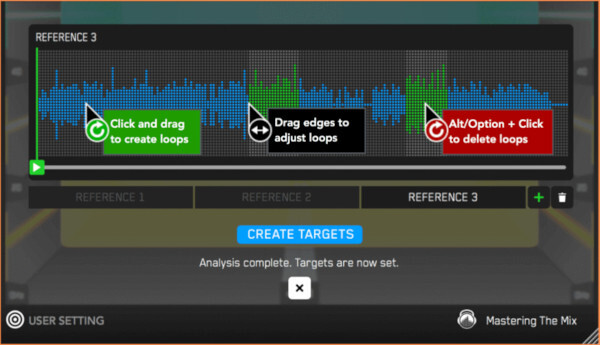
Create A Target
Alternatively, you can create your own target values by clicking the target icon in the bottom left corner and importing reference tracks. If you’re creating targets, we recommend clicking and dragging on the waveform to select the drop or chorus for the analysis, as this is usually the material with the best representation of the bass in the track. BASSROOM will create targets based on all the tracks loaded into the analysis window.
Shape your low-end
Now monitor a bass heavy section of your production (i.e. the drop or chorus), and you’ll see the targets move to the suggested EQ positions based on the tonal balance of your mix compared to the tonal balance of your preset. Use the targets to get a great starting point, then adjust by ear to tweak your low-end to perfection. The algorithm accounts for differences in loudness, so the targets will be accurate and relevant whether you’re mixing or mastering.
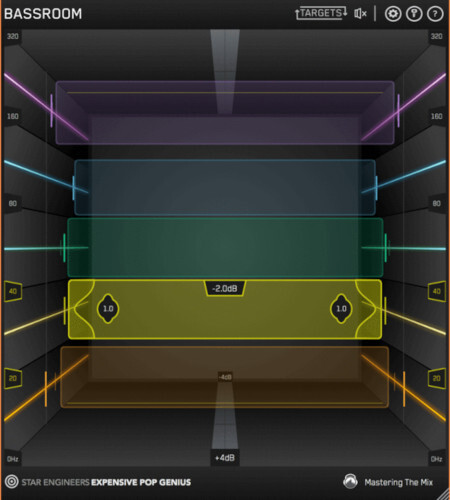
Level Match
The EQ adjustments may have changed the overall gain of your audio. If the gain has changed by more than 2dB the speaker icon will turn orange. Hover your mouse over the bypass icon to open the output gain and level match pointer. Match the gain slider to the level match pointer to match the perceived loudness of your audio before it passed through BASSROOM.
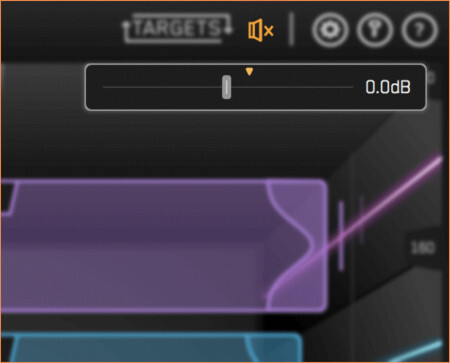
Hear The Difference
Not only will your low-end fall into place, but the level matching will give you a well balanced sound across the whole frequency spectrum. Toggle bypass on and off to hear the difference.
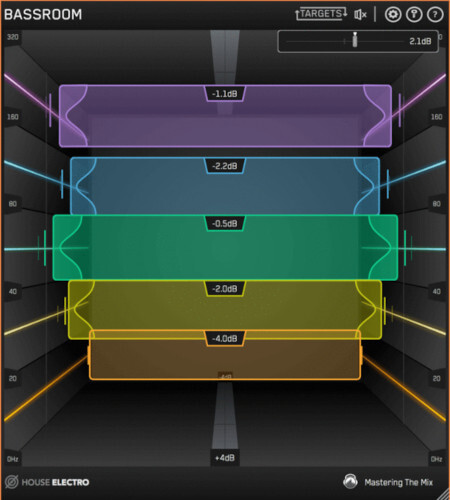
Unique Features
Unparalleled EQ Quality
BASSROOM gives you unparalleled EQ quality when working with low-frequencies on your master channel. Other EQs can introduce transient ringing and smearing or phase distortion that reduces the quality and clarity of your audio.
BASSROOM has specifically designed filters that have minimal phase distortion AND minimal transient distortion providing greater transparency than standard linear-phase filters at low-frequencies. This means that the low-end is not affected by unwanted phase changes that can alter the timbre of your audio or by transient distortion that means you lose the bite from kicks or bass-lines.
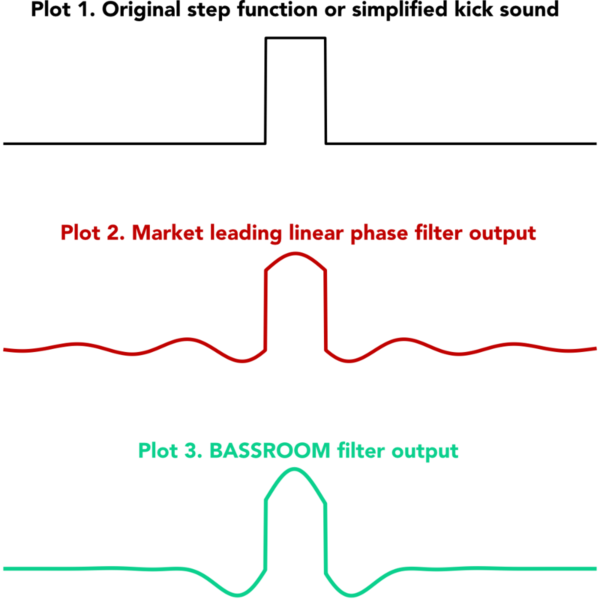
For example, the plots show the transient effects on a step function when applying a 6dB gain at 240Hz. Think of this as a simplified waveform of a kick drum. It’s clear that the output of the filter in Plot 2 has an oscillation before and after the “hit”. This is a “ringing” of the transient and can sound like a sucking effect. In Plot 3 BASSROOM’s EQ produces virtually no oscillation and so the transient is preserved.
With BASSROOM, you can transparently shape your low-end without compromising the clarity of your mix or master. This translates into retaining punch in the low-mids, and definition in the low-end compared to other EQs.
Immersive 3D Room Display
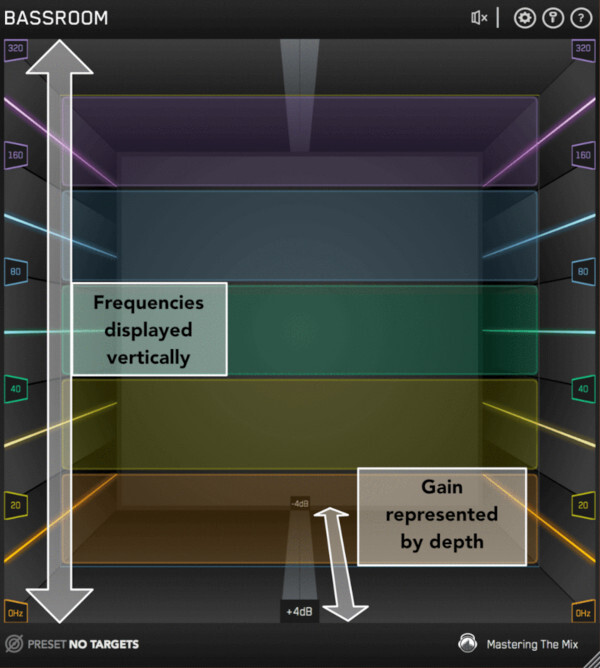
Ordinary EQs use a horizontal representation of frequencies and vertical representation of gain. BASSROOM takes a unique approach and focuses more on how we experience audio in the real world. Louder sounds feel closer while quieter sounds feel further away and lower frequencies are associated with a ‘foundation’ whilst higher frequencies are perceived as ‘air.
To reflect this, in BASSROOM frequencies are displayed vertically, and gain is represented by depth in the room.
When a band is on the central 0dB line in the middle of the room, there is no gain adjustment. Push frequency bands back in the room to decrease gain, and bring them forward to increase gain.
The unique and intuitive UI helps you visualise how you’re adjusting the low-end of your song. This gives you a more immersive mixing experience, helping you connect more with your music.
EQ Targets You Can Trust
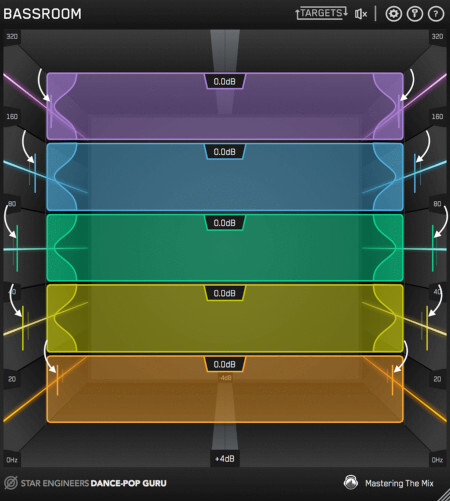
The targets on the walls of BASSROOM suggest the genre-specific EQ adjustments a great audio engineer in a world-class studio would make.
We analysed the best mixes in various genres to give you EQ target presets you can trust.
This isn’t simple ‘slowed-down’ frequency matching. The targets are a result of a complex algorithm that accurately identifies how the human ear perceives low-frequencies relative to the balance of the whole mix. BASSROOM analyses your mix and displays a target in each frequency band to help you make informed mixing decisions sonically relevant to your audio.
Matching the bands to target suggestions results in a clear and defined low-end that’s well balanced in the context of the whole mix. Use the targets to get a great starting point, then adjust by ear to tweak your low-end to perfection.
Learn more about BASSROOM.
Any references to any brands on this site/page, including reference to brands and instruments, are provided for description purposes only. For example references to instrument brands are provided to describe the sound of the instrument and/or the instrument used in the sample. Plugin Boutique do not have (nor do they claim) any association with or endorsement by these brands. Any goodwill attached to those brands rest with the brand owner. Plugin Boutique or its Suppliers do not accept any liability in relation to the content of the product or the accuracy of the description. “RHODES” is a registered trademark of Joseph A Brandstetter.